Audit Logs
Audit Logs are only available with the Pulumi Enterprise Edition.
Overview
Audit logs enable you to track the activity of users within an organization. They attempt to answer what a user did, when they did it and where. They help answer these questions by recording user actions.
Pulumi’s audit logs allow you to account for the activity your users are taking within your organization. These logs are available to organizations with an Enterprise level subscription. The logs are immutable and and record all user actions. Auditing makes the activity of members in an organization attributable. The logs capture the UNIX timestamp of the event, the user who invoked the action, the event that took place, and the source IP of the call the user made.
Viewing Audit Logs in the Console
Audit logs are available to organizations with an Enterprise level subscription only. If you are an organization administrator, you can view your organization’s audit logs, by selecting your organization from the organization drop down. Then click on the settings tab. On the left nav-bar you should see a tab called Audit Logs. Clicking here will allow you to view the most recent audit logs for your organization.
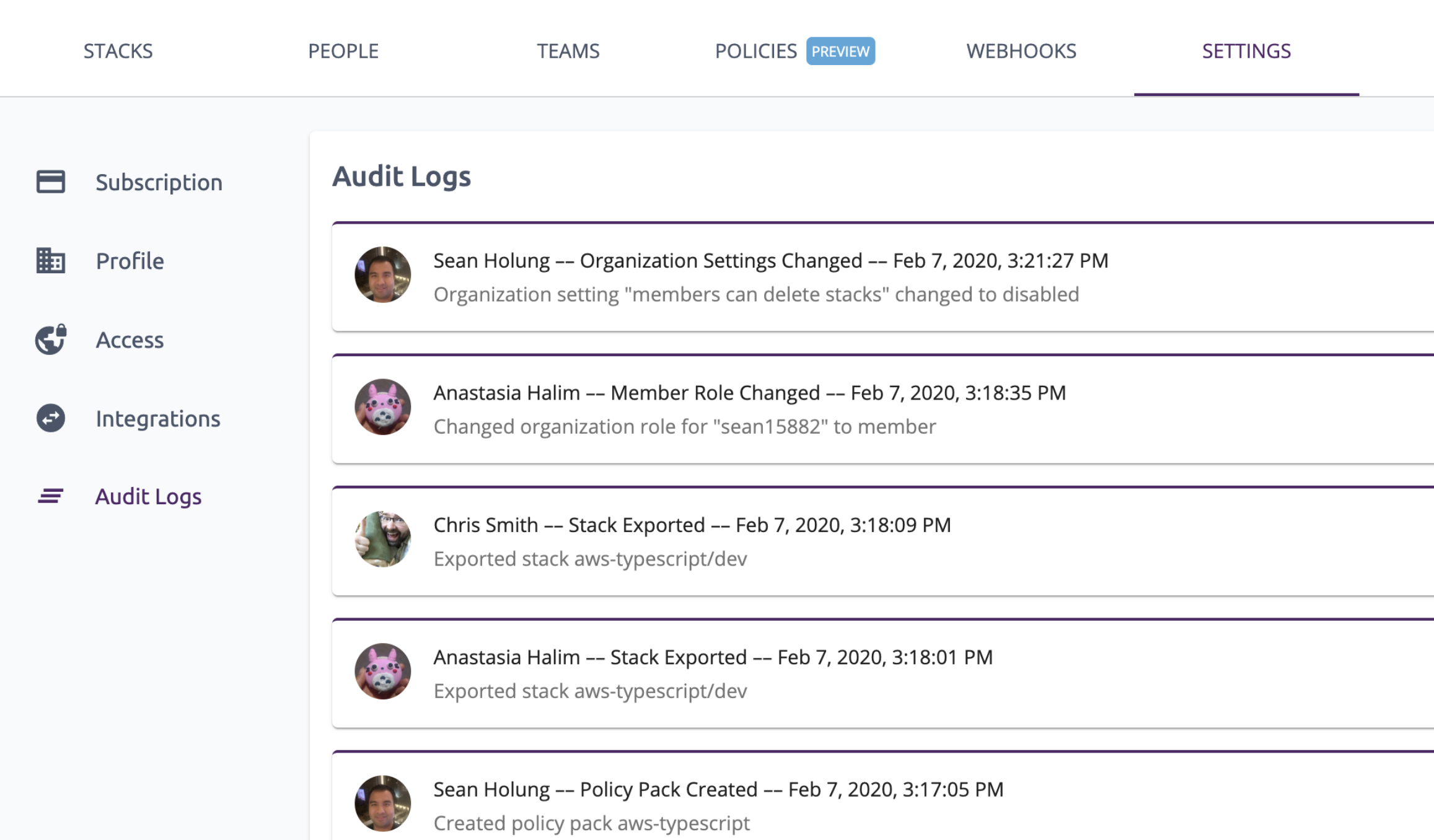
This will show the most recent events in decending order. You can also filter logs by a particular user by clicking on the user’s avatar. Doing so will filter out the events performed by the user you selected.
Audit logs can also be exported to a downloadable csv format. The logs can be exported through the UI Console
by clicking on the DOWNLOAD button in the upper left hand corner of the audit logs view.
Exporting Audit Logs through the API
The audit logs can be exported through the API using the following endpoint. A startTime
query parameter must be passed and is used to query audit records before the specified
startTime (UNIX timestamp).
GET https://api.pulumi.com/api/orgs/${org}/auditlogs/export?startTime=${time}
Optionally, a user to filter by can also be specified as a query parameter to filter audit logs pertaining only to a specifc user.
GET https://api.pulumi.com/api/orgs/${org}/auditlogs/export?startTime=${time}&userFilter=${user}
Example using curl:
curl \
    -H 'Accept: application/vnd.pulumi+4' \
    -H 'Authorization: token abcdefghijklmnopqrstuvwxyz' \
    -H 'Content-Type: application/csv' \
    --compressed \
    'https://api.pulumi.com/api/orgs/${org}/auditlogs/export?startTime=${startTime}'
Note: Substitute
${org},${user}, and${time}for your actual values - e.g.org,username, and1583460637.