.NET Core (C#, VB, F#)
Pulumi supports infrastructure as code using any .NET Core language. You can use your favorite .NET tools — such as editors, package managers, build systems, and test frameworks — to create, deploy, and manage infrastructure on any cloud, including Azure, AWS, and Google Cloud.
Getting Started
The fastest way to get up and running is to choose from one of the following Getting Started guides:




The Getting Started guides currently only demonstrate C#. For F# and Visual Basic, please refer to the documentation below. They will work just fine — the guides simply aren’t ready for them yet.
Prerequisites
Before using Pulumi for .NET, you will need to install both Pulumi and .NET Core SDK 3.1 or later. If you follow the Getting Started guides above, they will walk you through doing this.
Example
For example, this C# program provisions an Azure resource group and storage account:
using System.Threading.Tasks;

using Pulumi;
using Pulumi.Azure.Core;
using Pulumi.Azure.Storage;

class Program
{
    static Task<int> Main() => Deployment.RunAsync<MyStack>();
}

public MyStack : Stack
{
    public MyStack()
    {
        // Create an Azure Resource Group
        var resourceGroup = new ResourceGroup("resourceGroup");

        // Create an Azure Storage Account
        var storageAccount = new Account("storage", new AccountArgs
        {
            ResourceGroupName = resourceGroup.Name,
            AccountReplicationType = "LRS",
            AccountTier = "Standard",
        });

        // Export the connection string for the storage account
        this.ConnectionString = storageAccount.PrimaryConnectionString;
    }

    [Output] public Output<string> ConnectionString { get; set; }
}
For example, this F# program provisions an Azure resource group and storage account:
module Program

open Pulumi.FSharp
open Pulumi.Azure.Core
open Pulumi.Azure.Storage

let infra () =
    // Create an Azure Resource Group
    let resourceGroup = new ResourceGroup "resourceGroup"

    // Create an Azure Storage Account
    let storageAccount =
        new Account("storage",
            new AccountArgs
               (ResourceGroupName = io resourceGroup.Name,
                AccountReplicationType = input "LRS",
                AccountTier = input "Standard"))

    // Export the connection string for the storage account
    dict [("connectionString", storageAccount.PrimaryConnectionString :> obj)]

[<EntryPoint>]
let main _ =
  Deployment.run infra
For example, this Visual Basic program provisions an Azure resource group and storage account:
Imports System.Threading.Tasks
Imports Pulumi
Imports Pulumi.Azure.Core
Imports Pulumi.Azure.Storage

Module Program
    Public Function Run() As IDictionary(Of String, Object)
        ' Create an Azure Resource Group
        Dim resourceGroup = New ResourceGroup("resourceGroup")

        ' Create an Azure Storage Account
        Dim storageAccount = New Account("storageAccount", New AccountArgs With {
            .ResourceGroupName = resourceGroup.Name,
            .AccountReplicationType = "LRS",
            .AccountTier = "Standard"
        })

        ' Export the connection string for the storage account
        Return New Dictionary(Of String, Object) From {
            {"connectionString", storageAccount.PrimaryConnectionString}
        }
    End Function

    Sub Main()
        Deployment.RunAsync(AddressOf Run).Wait()
    End Sub

End Module
C#, F#, and VB Templates
As of version 1.5, Pulumi supports .NET Core 3.1. You can write Pulumi programs in your favorite .NET language to get additional verification and tooling benefits. The fastest way to get started is to use a template. The template will autogenerate a set of files and initialize a Pulumi project. The getting started guides shown above will help do this on your cloud of choice, but this section describes doing so independently.
You can write Pulumi programs in C#. From an empty directory, create a new C# project:
$ mkdir myproject && cd myproject
$ pulumi new csharp
This will create a Pulumi.yaml project file containing some minimal metadata about your project (including a name and description which you may wish to change), an myproject.csproj file that holds references used by the project, a Program.cs file, containing the program entry point, and a MyStack.cs file with resource definitions. The name of the directory is used as the project name in Pulumi.yaml and as the csproj file name.
To deploy your infrastructure run pulumi up and the Pulumi engine automatically runs dotnet build as part of the deployment. Pulumi will perform the operations needed to deploy the infrastructure you have declared.
This csharp template is cloud agnostic, and you will need to install NuGet packages for the cloud provider of your choice. Additional templates are available:
pulumi new aws-csharp: creates a starter AWS C# projectpulumi new azure-csharp: creates a starter Azure C# projectpulumi new gcp-csharp: creates a starter Google Cloud C# project
You can write Pulumi programs in F#. From an empty directory, create a new F# project:
$ mkdir myproject && cd myproject
$ pulumi new fsharp
This will create a Pulumi.yaml project file containing some minimal metadata about your project (including a name and description which you may wish to change), an myproject.fsproj file that holds references used by the project, and a Program.fs file, containing your program. The name of the directory is used as the project name in Pulumi.yaml and as the fsproj file name.
To deploy your infrastructure run pulumi up and the Pulumi engine automatically runs dotnet build as part of the deployment. Pulumi will perform the operations needed to deploy the infrastructure you have declared.
This fsharp template is cloud agnostic, and you will need to install NuGet packages for the cloud provider of your choice. Additional templates are available:
pulumi new aws-fsharp: creates a starter AWS F# projectpulumi new azure-fsharp: creates a starter Azure F# projectpulumi new gcp-fsharp: creates a starter Google Cloud F# project
You can write Pulumi programs in Visual Basic. From an empty directory, create a new Visual Basic project:
$ mkdir myproject && cd myproject
$ pulumi new visualbasic
This will create a Pulumi.yaml project file containing some minimal metadata about your project (including a name and description which you may wish to change), an myproject.vbproj file that holds references used by the project, a Program.vb file, containing the program entry point, and a MyStack.vb file with resource definitions. The name of the directory is used as the project name in Pulumi.yaml and as the vbproj file name.
To deploy your infrastructure run pulumi up and the Pulumi engine automatically runs dotnet build as part of the deployment. Pulumi will perform the operations needed to deploy the infrastructure you have declared.
This visualbasic template is cloud agnostic, and you will need to install NuGet packages for the cloud provider of your choice. Additional templates are available:
pulumi new aws-visualbasic: creates a starter AWS Visual Basic projectpulumi new azure-visualbasic: creates a starter Azure Visual Basic projectpulumi new gcp-visualbasic: creates a starter Google Cloud Visual Basic project
.NET Core Tools
Pulumi packages are distributed on NuGet for download.
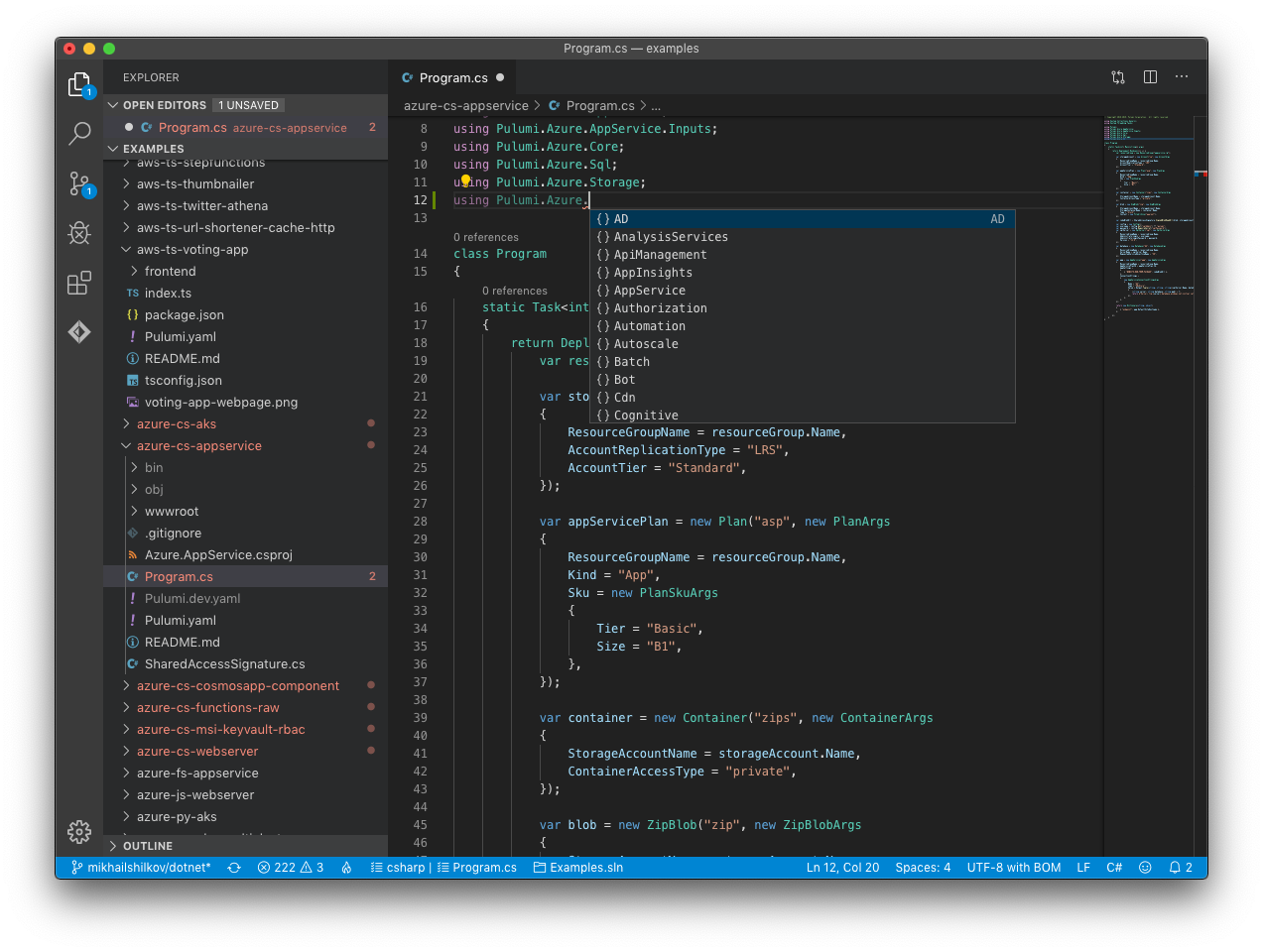
Although you can use any editor, Visual Studio Code, Visual Studio, or Rider will deliver full tooling support for .NET Core out-of-the-box, including auto-completion, red error markers and build errors.
Continuous Delivery
In addition to the CLI-driven workflows shown above, you can continuously deploy your infrastructure using .NET by integrating with your CI/CD provider of choice. This ensures automated deployments triggered by events such as commits to your Git repo.
Azure DevOps Pipelines

Pulumi can deploy infrastructure changes from your Azure DevOps Pipelines. This enables easy integration with your existing automation while using .NET Core for your infrastructure as code, leveraging the Pulumi task in the Visual Studio Marketplace.
To learn more, see the Pulumi Azure DevOps user guide.
GitHub Actions

Pulumi can deploy infrastructure using GitHub Actions, making Git-driven deployments of your infrastructure as code straightforward. To learn more, see the Pulumi GitHub Actions user guide.
There is also a Pulumi GitHub App that integrates with Pull Requests so that you get previews of deployments before they are merged inline in your PRs where it’s easy to comment and collaborate. Read more here about how to install this app into your organization.
Other CI/CD Integrations
If you don’t use Azure DevOps or GitHub Actions, Pulumi also supports a number of other CI/CD integrations. For a complete list, go here.